Getting a customer to place their first order is difficult. Getting them to return often depends on what happens after checkout.
A customer may love your product, but they will still remember if:
- Their order arrived later than expected.
- They had to stay home all day waiting for delivery.
- Store pickup was unavailable.
- They could not change their delivery date.
- The estimated arrival date was unclear.
Flexible delivery options solve these problems by letting customers choose how and when they receive their orders.
For Shopify merchants, this can lead to fewer abandoned carts, fewer delivery-related questions and a better chance of earning repeat orders.
In this guide, we will show practical ways to use delivery dates, time slots, local delivery and store pickup to improve ecommerce customer retention.
What Is Ecommerce Customer Retention?
Ecommerce customer retention is the percentage of customers who return and purchase from your store again.
You can calculate it using this formula:
Customer retention rate = ((Customers at the end of a period − New customers gained) ÷ Customers at the beginning) × 100
For example, suppose your store:
- Starts the month with 500 customers.
- Gains 100 new customers.
- Ends the month with 450 customers.
Your customer retention rate would be:
((450 − 100) ÷ 500) × 100 = 70%
However, the number alone does not explain why customers return.
For many Shopify stores, the delivery experience plays an important role. Customers are more likely to reorder when the first purchase arrives at the expected time and without unnecessary effort.
What Are Flexible Delivery Options?
Flexible delivery means giving customers more control over how and when they receive an order.
Depending on your store, this may include:
| Delivery option | What it allows customers to do |
|---|---|
| Delivery date picker | Select a preferred delivery day |
| Delivery time slots | Choose a convenient delivery window |
| Local delivery | Receive the order from a nearby store or warehouse |
| Store pickup | Collect the order without paying for delivery |
| Estimated delivery date | See when the product is likely to arrive |
| Order scheduling | Change the selected date when plans change |
You do not need to offer every option.
A bakery may need delivery dates and time slots. A furniture store may benefit more from estimated delivery dates. A grocery store may need local delivery and store pickup.
The right setup depends on what your customers are ordering and how quickly they need it.
1. Let Customers Select a Delivery Date
A delivery date picker allows customers to choose the day they want their order. This is especially useful when the order is connected to a specific occasion.
Shopify store example
Suppose a customer is ordering a cake for a birthday party on August 15.
Without a date picker, the customer may need to:
- Place the order.
- Add the date in the order notes.
- Contact the store to confirm it.
- Wait for the store to respond.
That creates uncertainty before the order is even completed. With a date picker, the customer selects August 15 directly from the product or cart page and continues to checkout.
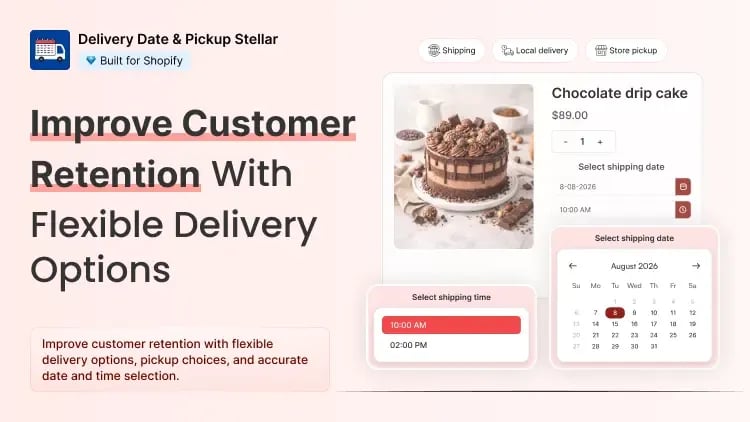
You can add this functionality in your store using apps like Delivery Date & Picker Stellar that lets Shopify merchants add a delivery calendar to the product page or cart. Customers can choose an available date before completing the purchase.
This gives the merchant clear delivery instructions and gives the customer confidence that the order is scheduled correctly.
2. Offer Delivery Time Slots
Choosing the right day may not be enough. Customers may also need to know whether the order will arrive in the morning, afternoon or evening.
For example, a grocery customer may not want frozen items delivered while they are at work. A flower buyer may need the order delivered before an event starts. Time slots give customers a more useful delivery window.
Simple workflow
A local bakery could offer:
- 9:00 AM to 12:00 PM
- 12:00 PM to 3:00 PM
- 3:00 PM to 6:00 PM
The customer selects the date first and then chooses one of the available time slots. Stellar can be used to create different delivery slots and limit the number of orders accepted during each slot.
This is important because offering unlimited bookings can create another problem: too many orders scheduled for the same time.
3. Show an Estimated Delivery Date Before Checkout
Customers often want to know one thing before buying:
“When will this arrive?”
A message such as “Ships in 3-5 business days” gives customers only a rough idea. A clear estimated delivery date is easier to understand.
Instead of showing:
Ships in 3-5 business days
Show:
Estimated delivery: August 8-10
This is particularly useful for stores selling:
- Furniture.
- Custom products.
- Clothing.
- Gifts.
- Electronics.
- Products shipped from different locations.
Stellar can display an estimated delivery date on the product page. This allows customers to check the expected arrival before adding the product to their cart.
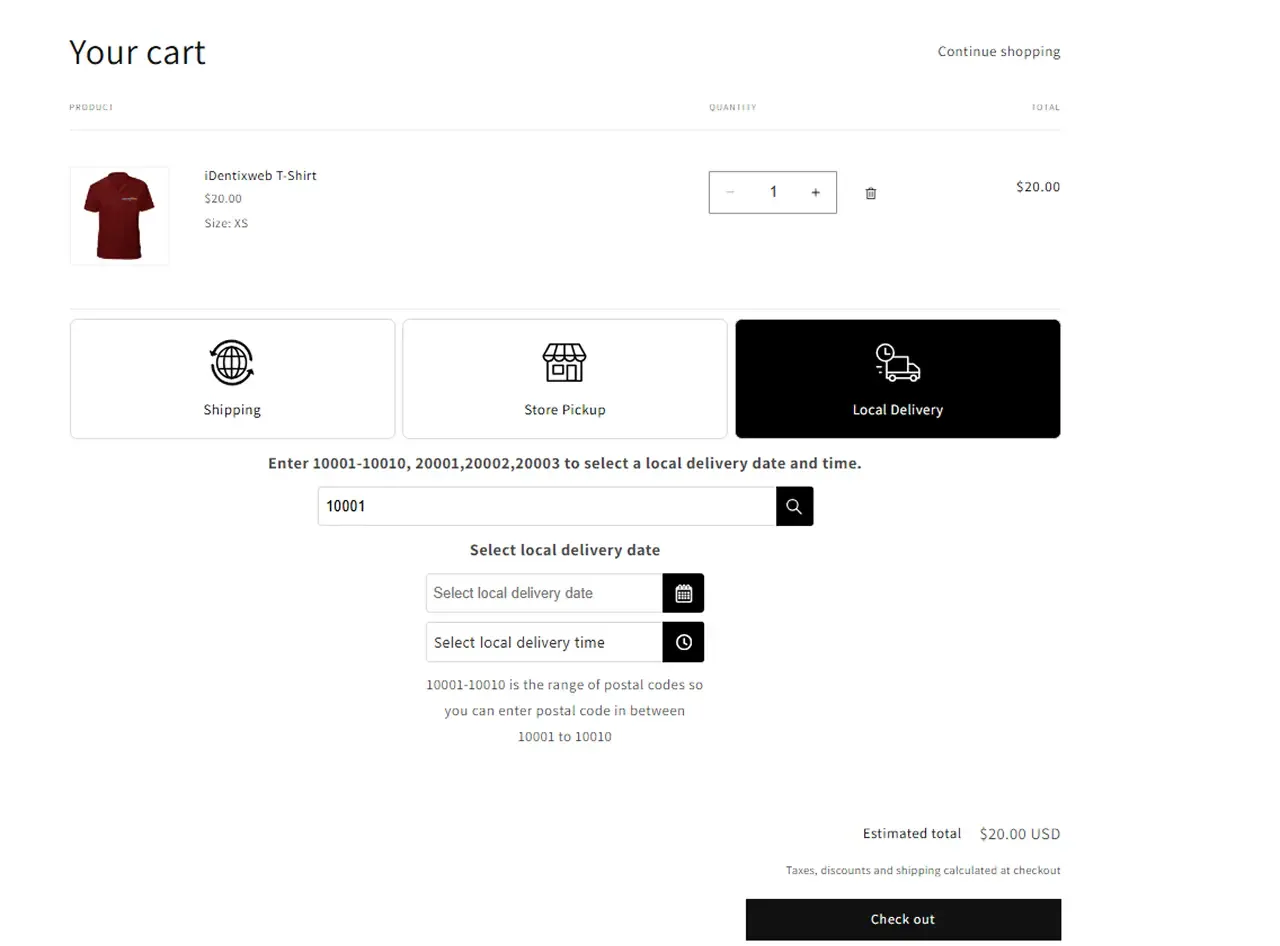
4. Give Nearby Customers a Local Delivery Option
Local delivery is useful for customers who live near your store, kitchen, warehouse or fulfilment centre.
It can help you serve customers who want the product quickly but do not want to visit the store.
This works particularly well for:
- Grocery stores.
- Florists.
- Bakeries.
- Meal-preparation businesses.
- Pet supply stores.
- Local gift stores.
- Pharmacies.
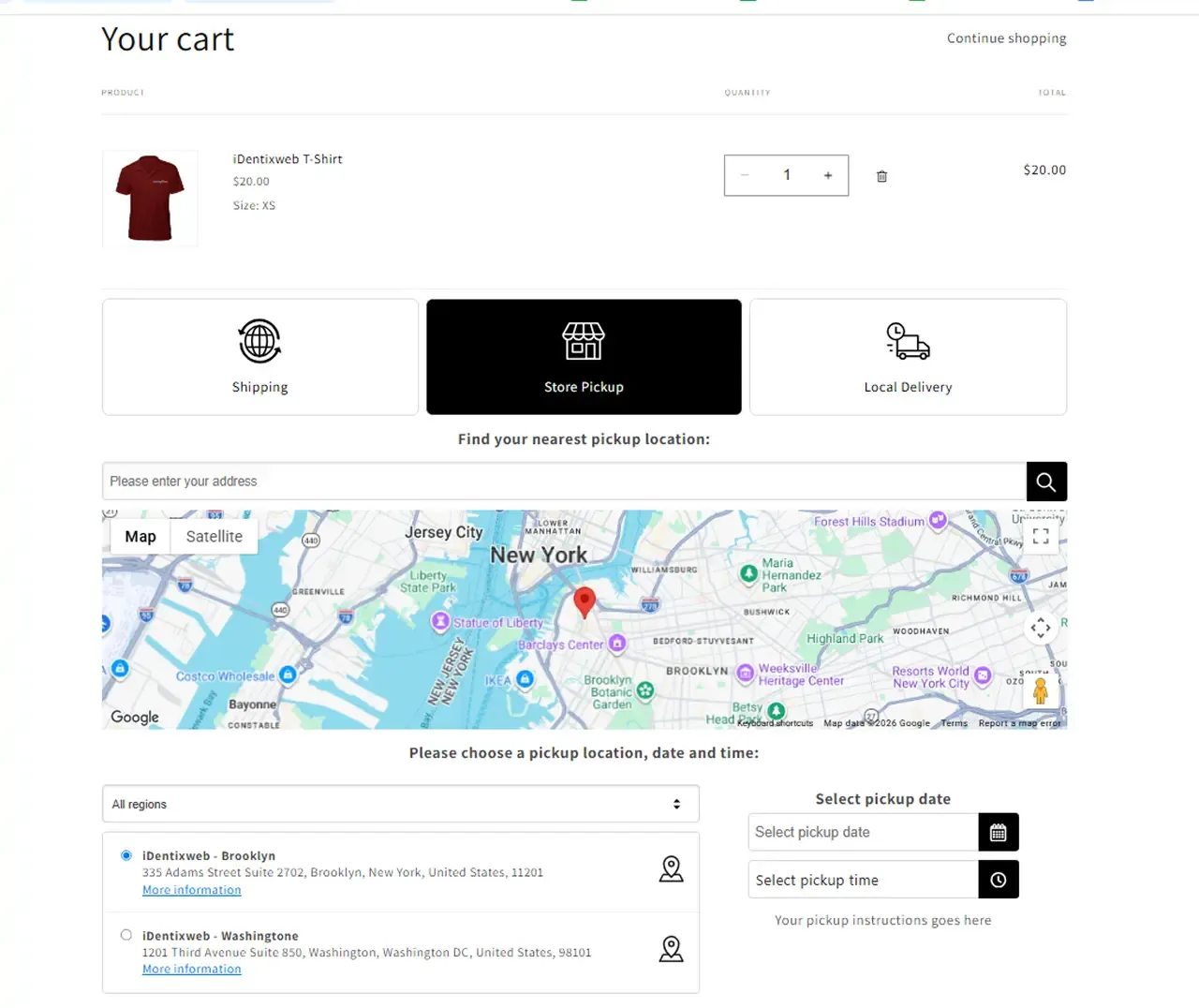
5. Offer Store Pickup for Customers Who Want More Control
Some customers would rather collect an order themselves.
Store pickup can help customers:
- Avoid delivery charges.
- Receive the order sooner.
- Collect it while travelling nearby.
- Avoid waiting for a delivery driver.
- Choose a convenient pickup time.
It can also reduce delivery work for your team.
6. Let Customers Reschedule Their Delivery
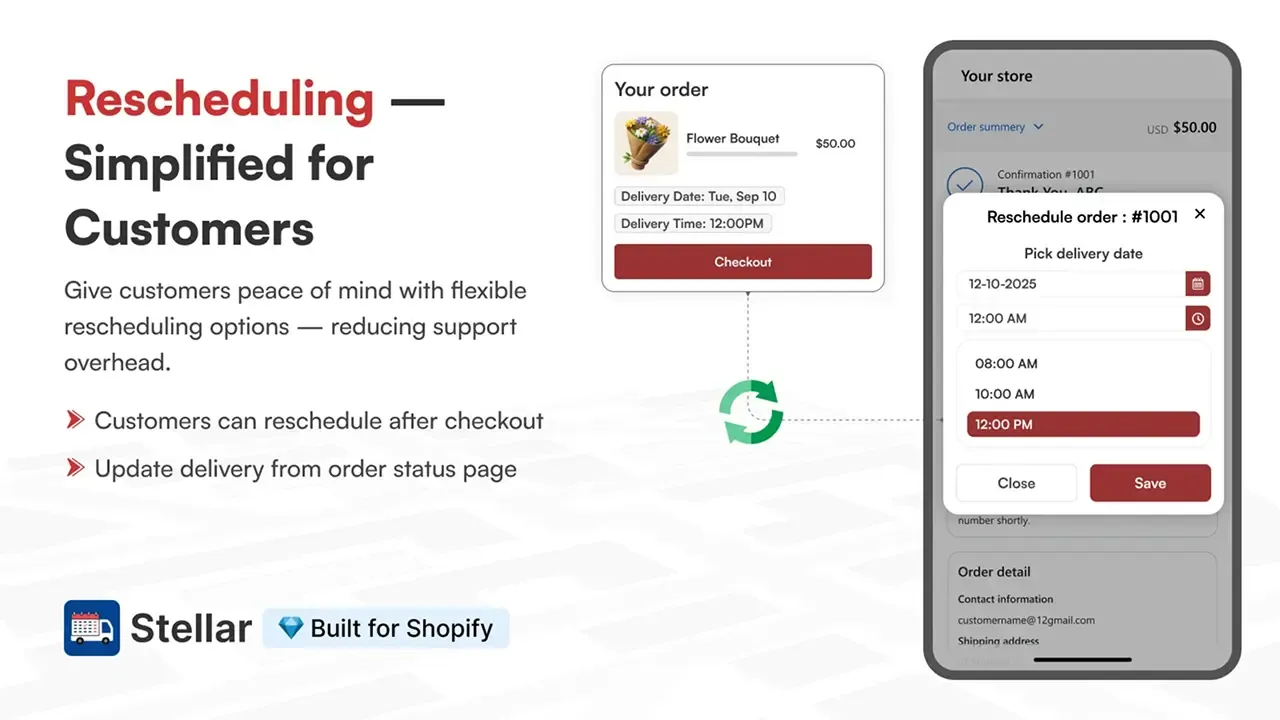
Even when customers select the right date, their plans may change. They may be travelling, attending an event or unavailable at the original time. Without a rescheduling option, the customer must contact support and wait for someone to update the order manually. That creates extra work for your team and frustration for the customer.
Stellar allows customers to reschedule their selected delivery date when rescheduling is enabled by the merchant.
7. Block Holidays and Unavailable Dates
Customers should never be able to book a delivery when your store is closed.
Before launching a delivery calendar, block:
- Public holidays.
- Weekly closing days.
- Staff holidays.
- Maintenance days.
- Fully booked dates.
- Dates when suppliers are unavailable.
For example, a florist may close deliveries after reaching capacity for Valentine’s Day. A bakery may block Mondays because the kitchen is closed.
This prevents accidental bookings and reduces the need to contact customers after checkout.
8. Match Delivery Options to Different Products
Not every product requires the same delivery setup.
A grocery store may sell:
- Fresh food that needs same-day local delivery.
- Packaged items that can be shipped nationally.
- Large orders that require advance booking.
Offering the same delivery rule for every product can confuse customers and create fulfilment problems.
Instead, match the delivery option to the product.
Common Delivery Mistakes That Reduce Repeat Orders
- Promising fast delivery without showing a date
- Offering only one fulfilment method
- Allowing unlimited orders per time slot
- Hiding delivery details until checkout
- Forgetting to block unavailable dates
- Making customers contact support to change a date
- Sending unclear pickup instructions
Make Delivery a Reason Customers Return
Customers remember stores that make ordering easy. When they can see an estimated arrival date, select a suitable time, choose pickup or local delivery and update their schedule when plans change, there is less uncertainty throughout the purchase.
Start by reviewing your current delivery journey as a customer:
- Can customers see when the product will arrive?
- Can they choose a suitable delivery or pickup option?
- Can your team fulfil every date and slot you offer?
- Are unavailable dates blocked?
- Can customers find their selected delivery details after checkout?
If any answer is no, that is the first area to improve.
Delivery Date & Pickup Stellar helps Shopify merchants manage delivery dates, time slots, estimated delivery dates, local delivery, store pickup and shipping from one place.
Install Stellar on your Shopify store and create a delivery experience that gives customers a practical reason to order from you again.